Tuesday, December 1, 2009

Call Center Comedies !!!

Some good jokes I read in a website.   Couldn't control laughing for the one "do i need a computer to use your software"?

====

Tech Support: "I need you to right-click on the Open Desktop."
Customer: "OK."
Tech Support: "Did you get a pop-up menu?"
Customer: "No."
Tech Support: "OK. Right click again. Do you see a pop-up menu?"
Customer: "No."
Tech Support:: "OK, sir. Can you tell me what you have done up until
this
point?"
Customer: "Sure, you told me to write 'click' and I wrote 'click'."
--------------------------------------------------
.Customer:: "I'm having trouble installing Microsoft Word."
Tech Support:: "Tell me what you've done."
Customer: "I typed 'A:SETUP'."
Tech Support:: "Ma'am, remove the disk and tell me what it says."
Customer:: "It says '[PC manufacturer] Restore and Recovery disk'."
Tech Support:: "Insert the MS Word setup disk."
Customer:: "What?"
Tech Support: "Did you buy MS word?"
Customer: "No..."
--------------------------------------------------
Customer:: "Do I need a computer to use your software?"
Tech Support:: ?!%#$
--------------------------------------------------
Tech Support:: "OK, in the bottom left hand side of the screen, can
you
see the 'OK' button displayed?"
Customer: "Wow. How can you see my screen from there?"
--------------------------------------------------
Tech Support:: "What type of computer do you have?"
Customer:: "A white one."
--------------------------------------------------
Tech Support:: "Type 'A:' at the prompt."
Customer:: "How do you spell that?"
--------------------------------------------------
Tech Support: "What's on your screen right now?"
Customer: "A stuffed animal that my boyfriend got me at the grocery
store."
--------------------------------------------------
Tech Support:: "What operating system are you running?"
Customer: "Pentium."
--------------------------------------------------
Customer: "My computer's telling me I performed an illegal
abortion."
--------------------------------------------------
Customer: "I have Microsoft Exploder."
--------------------------------------------------
Customer: "How do I print my voicemail?"
--------------------------------------------------
Customer: "You've got to fix my computer. I urgently need to print
document, but the computer won't boot properly."
Tech Support: "What does it say?"
Customer: "Something about an error and non-system disk."
Tech Support: "Look at your machine. Is there a floppy inside?"
Customer: "No, but there's a sticker saying there's an Intel inside."
--------------------------------------------------
Tech Support: "Just call us back if there's a problem. We're open
24hours."
Customer: "Is that Eastern time?"
--------------------------------------------------
Tech Support:: "What does the screen say now?"
Customer: "It says, 'Hit ENTER when ready'."
Tech Support:: "Well?"
Customer: "How do I know when it's ready?"
-------------------------------------------------
customer care officer:I need a product identification no: right now
and
may I help u in finding it out?
Cust: sure
CCO: could u left click on start and do u find 'My Computer'?
Cust: I did left click but how the hell do I find your computer? 


Dabbawalas

Lot of things comes to our mind when we think about Mumbai... movies, celebrities, Sachin, and ofcourse then Dabbawalas.  Those who got married might know the difficulties and hurrie-burries the morning gets on, due to the food preparation that is to be done for breakfast and lunch.  Nowadays in most of the families, both husband and wife are working.  So,  they got to cook and get themselves ready in time also.  If they have kids, then the burden is too much.  But, Mumbaikars, have their comfort in the form of "Dabbawalas". 

Dabbawalas need to no introduction.  They are a part of a well organized organization who handle the transportation of homecooked food (lunchboxes-colorcoded for destination/owner) to 200,000 working mumbaikars. 

Their efficiency is so high that they got the six sigma award, as their error rate is only 1 in 16 million transactions. All of them belong to the same community - 'Maratha' - and came from some 7-8 villages near Pune. Most of them are having agricultural lands as their primary occupation. Although these people were not having any training in supply chain management, but still their commitment and zeal made sure that Mumbai dabbawala kept on increasing its customer base and won hearts of his loyal customers.
I got shocked to know about their commitment, even during the flood, bomb blast, not a single dabba was delayed or missed!!!

I came across this site which I think is the official website for dabbawalas: http://www.mydabbawala.com/
A short video on Dabbawalas (sorry, I could not embed it here) http://www.youtube.com/watch?v=IfzdqwOnW_8:

Some pictures:


Friday, November 27, 2009

DataFox: BSNL broadband bandwidth usage monitor

Many of us like me uses BSNL broadband and have limited usage per their respective plan. I use a plan which gives 2.5GB of free bandwidth.  This includes both upload and download usage.  Beyond the free usage, each MB is charged with 80 paise.  (ரொம்ப ஓவர் தான்... என்ன பண்றது)
Guy like me end up paying more than the minimum amount some months because of not checking the balance bandwidth during end of the month.  Earlier, many times I had to go to BSNL data usage site and check my balance bandwidth for the month.   However, now it is not required.  Since I use Firefox for all my browsing, I can use a brilliant add-on DataFox.
DataFox is a bandwidth usage monitor for BSNL’s DataOne and MTNL’s TriBand broadband services. DataFox is a cross platform extension written for Firefox; if you use Internet Explorer or any other browser, DataFox will not work for you.
If you’re using Firefox, click here to install the extension directly. Once installed, you need to restart Firefox.

Use


DataFox is really easy to use. Once installed, you should see this icon () in your status bar. Click it to bring up the login dialog. Select your ISP, then enter your name and password and click the Login button; that’s it. Click the icon again to refresh the usage data. You will see the total usage for the month as in the below screenshot.
DataFox works by obtaining usage information directly from the BSNL / MTNL usage site, it does not monitor your network in any way, so usage details probably won’t change until you logout of DataOne / TriBand and log back in again. BSNL users may want to use the Override default domain option in the login dialog in case the BSNL server you are being directed to is not responding (see below for explanation). Users who normally use bbservice.bsnl.in/data.bsnl.in to check their usage must check this option and select the corresponding domain from the domain list. MTNL users, if the usage server is down, DataFox will not be able to fetch any usage records.

Cellular.. Movie review

Today I went out for a family function and came back in the afternoon and slept due to a long drive.  When I woke up I thought of watching this little old movie...  Cellular.


Story: It is a 2004 movie about dirty cops kidnapping a family to recover a videotape containing visuals of some crime they did earlier.

Well, there are few things I liked about this movie.  It is a roller-coaster thriller from start to end.  Though it is an average budget movie, the stunts are really good and have its lighter moments in it. (which I liked).  One thing which sucked is, Music.  Imagine for a stupid melodramatic crap song as background score when the killer cop if searching the hero on the terrace with ticking heart-beat.  OMG, how the hell the music director thought that piece of music for that.  Instead he could have left the visual without any background score.  It would have rather pleasant.  Otherwise, the movie is good. It has got JasonStathom (hero of Transporter movie series) but in a villain role.
If you get a chance to get hold of this DVD, don't miss to watch it. It is really good movie to watch.
PS: I heard that they made a movie in tamil (Vegam - starred by S.Ve.Sekhar's son) based on this movie.. I have not seen that movie. 

Trailer:


Some movie posters:


Cellular


Cellular
Cellular
Cellular


Tuesday, November 24, 2009

Zen Stories

Yesterday I was reading couple of Zen stories and I was sharing one to my wife. She liked the one I told and wanted to hear more.  So, here is some of the Zen stories I found in net.
Many teachings from Zen-Buddhism are told in short and delightful stories. They are usually designed to develop the mind and to free it from distortions and so to connect with our spirit.
Some of them are really inspiring and enlightening. It is helpful to the mind to think about them and feel the deeper meaning. Even if it is not possible to grasp them fully, the beauty and simplicity of the message usually gets through to us one way or the other.

A Cup of Tea

Nan-in, a Japanese master during the Meiji era (1868-1912), received a university professor who came to inquire about Zen.
Nan-in served tea. He poured his visitor’s cup full, and then kept on pouring.
The professor watched the overflow until he no longer could restrain himself. "It is overfull. No more will go in!"
"Like this cup," Nan-in said, "you are full of your own opinions and speculations. How can I show you Zen unless you first empty your cup?"

The Burden

Two monks were returning to the monastery in the evening. It had rained and there were puddles of water on the road sides. At one place a beautiful young woman was standing unable to walk accross because of a puddle of water. The elder of the two monks went up to a her lifted her and left her on the other side of the road, and continued his way to the monastery.
In the evening the younger monk came to the elder monk and said, "Sir, as monks, we cannot touch a woman ?"
The elder monk answered "yes, brother".
Then the younger monk asks again, "but then Sir, how is that you lifted that woman on the roadside ?"
The elder monk smiled at him and told him " I left her on the other side of the road, but you are still carrying her."

The Other Side

One day a young Buddhist on his journey home came to the banks of a wide river. Staring hopelessly at the great obstacle in front of him, he pondered for hours on just how to cross such a wide barrier. Just as he was about to give up his pursuit to continue his journey he saw a great teacher on the other side of the river. The young Buddhist yells over to the teacher, "Oh wise one, can you tell me how to get to the other side of this river"?
The teacher ponders for a moment looks up and down the river and yells back, "My son, you are on the other side".

Is That So?

The Zen master Hakuin was praised by his neighbors as one living a pure life.
A beautiful Japanese girl whose parents owned a food store lived near him. Suddenly, without any warning, her parents discovered she was with child.
This made her parents very angry. She would not confess who the man was, but after much harassment at last named Hakuin.
In great anger the parents went to the master. "Is that so?" was all he would say.
When the child was born, the parents brought it to the Hakuin, who now was viewed as a pariah by the whole village. They demanded that he take care of the child since it was his responsibility. “Is that so?” Hakuin said calmly as he accepted the child.
A year later the girl-mother could stand it no longer. She told her parents the truth – that the real father of the child was a young man who worked in the fishmarket.
The mother and father of the girl at once went to Hakuin to ask his forgiveness, to apologize at length, and to get the child back again.
Hakuin was willing. In yielding the child, all he said was: "Is that so?"

Maybe

Once upon the time there was an old farmer who had worked his crops for many years. One day his horse ran away. Upon hearing the news, his neighbors came to visit. “Such bad luck,” they said sympathetically.
“Maybe,” the farmer replied.
The next morning the horse returned, bringing with it three other wild horses. “How wonderful,” the neighbors exclaimed.
“Maybe,” replied the old man.
The following day, his son tried to ride one of the untamed horses, was thrown, and broke his leg. The neighbors again came to offer their sympathy on his misfortune.
“Maybe,” answered the farmer.
The day after, military officials came to the village to draft young men into the army. Seeing that the son’s leg was broken, they passed him by. The neighbors congratulated the farmer on how well things had turned out.
“Maybe,” said the farmer.

Cliffhanger

One day while walking through the wilderness a man stumbled upon a vicious tiger. He ran but soon came to the edge of a high cliff. Desperate to save himself, he climbed down a vine and dangled over the fatal precipice.
As he hung there, two mice appeared from a hole in the cliff and began gnawing on the vine.
Suddenly, he noticed on the vine a plump wild strawberry. He plucked it and popped it in his mouth. It was incredibly delicious!

The Blind Men and the Elephant

Several citizens ran into a hot argument about God and different religions, and each one could not agree to a common answer. So they came to the Lord Buddha to find out what exactly God looks like.
The Buddha asked his disciples to get a large magnificent elephant and four blind men. He then brought the four blind to the elephant and told them to find out what the elephant would "look" like.
The first blind men touched the elephant leg and reported that it "looked" like a pillar. The second blind man touched the elephant tummy and said that an elephant was a wall. The third blind man touched the elephant ear and said that it was a piece of cloth. The fourth blind man hold on to the tail and described the elephant as a piece of rope. And all of them ran into a hot argument about the "appearance" of an elephant.
The Buddha asked the citizens: "Each blind man had touched the elephant but each of them gives a different description of the animal. Which answer is right?"

Right and Wrong

When Bankei held his seclusion-weeks of meditation, pupils from many parts of Japan came to attend. During one of these gatherings a pupil was caught stealing. The matter was reported to Bankei with the request that the culprit be expelled. Bankei ignored the case.
Later the pupil was caught in a similar act, and again Bankei disregarded the matter. This angered the other pupils, who drew up a petition asking for the dismissal of the thief, stating that otherwise they would leave in a body.
When Bankei had read the petition he called everyone before him. "You are wise brothers," he told them. "You know what is right and what is not right. You may go somewhere else to study if you wish, but this poor brother does not even know right from wrong. Who will teach him if I do not? I am going to keep him here even if all the rest of you leave."
A torrent of tears cleansed the face of the brother who had stolen. All desire to steal had vanished.

Teaching the Ultimate

In early times in Japan, bamboo-and-paper lanterns were used with candles inside. A blind man, visiting a friend one night, was offered a lantern to carry home with him.
"I do not need a lantern," he said. "Darkness or light is all the same to me."
"I know you do not need a lantern to find your way," his friend replied, "but if you don’t have one, someone else may run into you. So you must take it."
The blind man started off with the lantern and before he had walked very far someone ran squarely into him. "Look out where you are going!" he exclaimed to the stranger. "Can’t you see this lantern?"
"Your candle has burned out, brother," replied the stranger.

If you liked the above and want to read more, there are more collections of Zen Stories in the below links:
http://spiritualinquiry.com/zen-stories/.
http://www.ashidakim.com/zenkoans/zenindex.html
http://www.101zenstories.com/index.php?story=toc


Saturday, November 21, 2009

2012 and mayan calendar

There have been lot of talks going around about the Mayan Calendar and end of world in 2012 AD (well it is actually  December 21, 2012 precisely.  What the heck?  thank god.. it is falling on a weekend.. see we can enjoy 3 days leave together.. கெட்டதுலயும்  ஒரு நல்லது.

Though many of us did not know about this until a movie "2012" is produced based on it, there are lot of articles, research and news about it everywhere on the net. (கொய்யாலே.. ஒவ்வொரு விஷயமும் நமக்கு படத்துல பார்த்தாதான் புரியுது.. அது வவூசி ஆகட்டும் இல்ல வீர பாண்டிய கட்டபொம்மன் ஆகட்டும்.  என்ன கொடுமை சார் இது?). 

Let us see whats all this fuzz about Mayan Calendar and 2012. 


(from wiki) The Maya calendar is a system of distinct calendars and almanacs used by the Maya civilization of pre-Columbian Mesoamerica, and by some modern Maya communities in highland Guatemala. 

These "Mayans" guys were actually 6th Century BC people.  Researchers/Archaealogists found about their calendar used by them and started correlating with the one which we are using (gregorian or something).  இவனுங்க "I think" ரொம்ப பண்ணி பண்ணிதான் மக்களை கொழப்பி scientistnu பேரு வாங்கிகிரானுங்க.  எந்த scientist  ஆவது உறிபடியா பார்க்க இருக்கானா?  எல்லாம் பைதியகாரனுங்க மாதிரிதான் இருக்கனுங்க.  ஒரு வேளை நிறைய think பண்ணா அப்படி ஆகிடுமோ?  அதனாலதான் நான் எப்பவும் think பண்றதேஇல்ல.   When the thickheads (who else, scientists only..) correlated the calendar they found that the calendar stops at 2012. 


Whether we believe it or not, or whether it is true or not, I certainly don't want to see the end of world as it is shown in the movie 2012.  Full of heat balls falling on the buildings, earthquakes.. etc.  
Anyway, we cannot stop what comes in future but we can make ourselves how well we fit into such circumstances.  In 2009 if these guys are doing like this, imagine how it would be in Dec 2012.   
Life is short.  Enjoy whenever you can without hurting others or yourself. 


Picture of the calendar:


Friday, November 20, 2009

Tamil Blogs..

I used to browse a lot during weekends.  In weekdays though I spend about an hour in net, that would be just to read the newspaper articles mostly.  In recent days, I came to know about couple of good tamil blogs which got interesting witty contents, awesome short stories etc.  I used to read lot of tamil novels during my college days.  My grandmother used to read lot of books and I was helping her to fetch the books from library.  Slowly, I got into the habit of reading novels especially detective stories.  I dont know why, but I somehow like that genre very much.  Honestly, I lost or misplace couple of things but none of the detective stories I read helped to atleast get a close guess! LOL..ayyo ayyo..

Ok, coming back to the track where we were.. which is tamil blogs.  TamilManam.net is the aggregator for tamil blogs.  You can browse into its bloglist (http://tamilmanam.net/bloglist.php) and start reading blogs. 

Here below, i am sharing some of the blogs which I have been reading recently.

http://www.luckylookonline.com  -- one of the popular tamil blogger and story writer. 

http://www.athishaonline.com  -- i like his south slang and dialog deliveries in his conversations.  Also, a story writer too.  Some of his stories too good.

http://cablesankar.blogspot.com -- this guy is into films as the name implies.  writes a lot about cine bits.

So guys, enjoy yourselves reading those blogs.  Nowadays even in those famous magazines for which we pay 15-20 Rs. we cant find such stories. 

take care.  got to go to bed now...happy weekend.


Saturday, November 14, 2009

UrlSnooper.. awesome tool

Many links to streaming audio and video that you come across on the web are hidden behind JavaScript, Macromedia Flash, ActiveX. Because of this, it is sometimes very difficult to figure out the actual urls that correspond to the streams being played.   That's where UrlSnooper kicks in.  UrlSnooper provides a one-stop easy solution to finding the URLs for all streams.  It does this by watching network traffic and identifying potential urls, especially streaming media urls.

Past few years I have been using this simple yet powerful tool to find the actual urls behing the streaming content and then I can easily download the content in its original form using a dowload player like Orbit Player.
This is a freeware (actually a donationware). So go ahead and try it.

You can download it from here.

Note: After installation, you need to first open UrlSnooper and hit "Sniff network".  Then you can open the browser (firefox works fine for me) and play the media.  Urlsnooper will catch the url behind the media and shows in the list.

Screenshots:


screen capture of URL Snooper


screenshot of URL Snooper

Sunday, November 8, 2009

Paranormal Activity .. decent horror flick


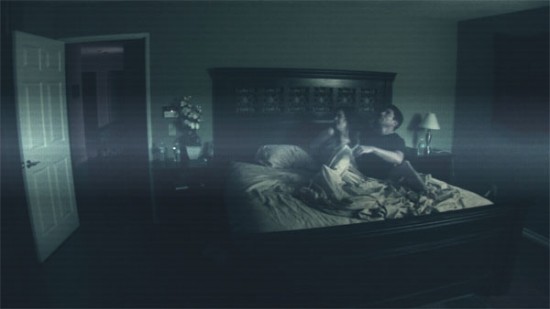
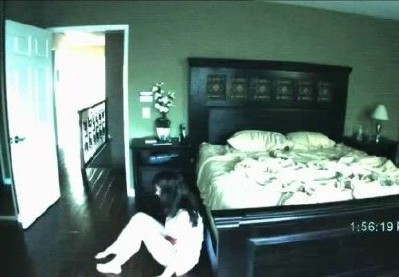
Yesterday I got a chance to see recently released horror flick "Paranormal Activity".  As some of you might already heard about the movie, it's a thriller/horror flick directed by Oren Peli. It is a low budget movie revolves around a young couple who have moved to a new house and the paranormal activities they encounter in that house.   This movie was produced few year back (2007 i guess) but could not be released due to financial implications.. (guess nobody was ready to buy).  However, the film's producer/director did not lose the hope.  After many problems, this film is now released by Paramount. 

Few lines about the story...  Katie and Micah are lovers and live together.  They move to a new house in suburban and freaky things starts to happen during night.  Katie had several such encounters in the past since she was 8 years old and occurs now and then.  Her lover, Micah who does not take this seriously in the beginning tries to record an evidence.  So, they fix a video camera (whole movie is actually shown to us through that camera only) in their bedroom.   Everyday during night time, they hears sounds and freaks out the couple.  Local doctor who deals paranormal stuff refuses to deal this since he sniffs that the "thing" does not like his presence.  Day by day the horror grows and the couples are disturbed more.  Atlast in the climax... ok.. dont want to break the suspense.. go and see the movie to enjoy the thrill..  Though I liked the sudden suspense in the end.. I actually did not like the way movie ended.

I have seen many horror flicks (mostly during night) and this one fits in one of the best horror flick.  There is no big background score (since the movie is just the talks between Katie and Micah intheir house), no big CGI work.. but still this movie has all the stuff to pump your blood and a very good climax (really unexpected one).  Some of the good things which I like about this movie is no blood pouring murders, no zombies with ugly makeup (kind-a hate that) and no sex scenes (otherwise most of the horror flicks have atleast one scene where the zombie or the killer kills the couple when they have sex...).

If you get a chance.. see it once..


Trailer:


Some background of the production/release:

It was early 2008, and the director's DreamWorks studio was trying to decide whether it wanted to be a part of the micro-budgeted supernatural thriller. As the story goes, Spielberg had taken a "Paranormal Activity" DVD to his Pacific Palisades estate, and not long after he watched it, the door to his empty bedroom inexplicably locked from the inside, forcing him to summon a locksmith.

While Spielberg didn't want the "Paranormal Activity" disc anywhere near his home -- he brought the movie back to DreamWorks in a garbage bag, colleagues say -- he very much shared his studio's enthusiasm for director Oren Peli's haunting story about the demonic invasion of a couple's suburban tract house.

"Paranormal Activity" was hardly a typical studio production. Peli, an Israeli-born video game designer who had no formal film training, shot the $15,000 movie in a week in 2006 with a no-name cast, a crew of several San Diego friends and a hand-held video camera.

But as Spielberg and the DreamWorks team believed, the movie held a special appeal -- it was original and scary. The challenge was to fit this round peg into a DreamWorks square hole -- a process that would ultimately take more than a year and a half, the delay exacerbated by the slow collapse of Paramount's acquisition of DreamWorks. For a time, it looked as if Spielberg was right: "Paranormal Activity" appeared cursed -- to sit on a shelf.

But now, supported by one of the more unusual marketing and distribution strategies conjured up for a studio release, Paramount is finally opening the film in 13 college towns on Friday, with a wider national rollout planned for mid-October. Scary movies are a dime a dozen these days -- at least 75 horror movies have been released theatrically in the last three years -- and "Paranormal Activity" doesn't have the franchise awareness or recognizable actors that help separate a handful of genre films from the teeming herd.


Saturday, October 24, 2009

Watching DivX Movies with subtitles

Watching DivX movies become a common thing nowadays and with the DVD players supporting DivX formats, some players (like Phillips DVP6233) comes with USB port so that you can plug in your pendrive, it is very comfortable, easy with DivX movies.

Sometimes, to watch other language movies (English, Italian, French) it is difficult if they do not come with subtitles.  For those who do not have any idea what a subtitle is, it is the english (or any other lanugauge the viewer understands) translation runs alongwith the movie under the video is called a "Subtitle".

There are plenty of websites like OpenSubtitles, Subscene, Podnapisi.Net which offers subtitles in many languages for almost all movies.  However, some of the guys (a slob like me) would be lazy enough to search in these sites to get the correct subtitles for the movies.  For them, here comes a niche tool Sublight.

Description
A tool which allows users to search online for movie subtitles

Sublight is a software that enables users to easily search for movie subtitles and download them.
It can search for subtitles based on several criteria such as movie title, year and more. The results are presented in list from where you can preview and download the title you want.

Main features:
- Auto search subtitle.
- Manual search.
- Internet explorer integration.
- Video playback.
- Support for VLC, BS.Player, Media Player Classic,
- KMPlayer and GOM player,
- Publish new subtitles,
- Auto application updates.

System requirements:
- .NET Framework 2.0

Enhancements:
- Possible to edit subtitle details (by subtitle publishers, editors and administrators)user profile.
- Improved subtitle details control - right click on subtitle or press F4 (added rating control, reporting, status, subtitle details editing)
- Subtitle history
- Added subtitle status color to list (partially authorized = yellow, authorized = green, deleted = red)
- Context menu key shortcut for properties


Note: There is difference in watching movies with subtitles in VlcPlayer and KMPlayer.  KMPlayer can be configured to make subtitles appear on the video or below the video (on the black border).  But, VlcPlayer cannot be configured to make subtitles appear below the vide (so far not supported).

You can download the program from SnapFiles website here.  Once installed, open the program and drag the movie file (.avi or .mp4 or .divx file) on the program.  It automatically searches for the subtitles from popular websites and displays the available subtitles.  If you do see a yellow line in front of the subtitle, then it means that subtitle matches with the movie file (linked subtitle).


Blood for life -- indianblooddonors.com (IBD)

One of my friend shared me a article from rediff.com about a website indianblooddonors.com and the story of the person who operates.  It was quite inspiring and a very useful information. 

This website started by Khushroo Poacha, a civil servant based in Nagpur Maharasthtra. carries a large database about the blood donors in India.  It is quite a good effort and can save (might have already saved many) many lifes.  We might have heard that some people died only because they could find the matching blood for their treatment. Now, with the help of the internet and technology, people can avoid any such tragedy.  When you are need of blood, all you have to do is, go to this website indianblooddonors.com , enter the details and contact information of person in need of blood.  In response, you will get name and phone number of the donor within seconds.

Go ahead and read the full article in rediff here.


Sunday, October 18, 2009

Improving Windows XP boot speed

This is one thing, I normally do after installing a new OS.  Windows XP has lot of holes which needs to be blocked to get that improved speed.  In this post, I will add those points which I collected from various sites.


1. Disable floppy drive seek

The floppy drive seek BIOS option sets whether your PC will attempt to detect the floppy (a:) drive during boot up. Whether it finds one or not, once Windows has loaded it becomes irrelevant, as control of hardware devices including drives are handed over from the BIOS to the operating system.

Disabling the 'floppy drive seek' option in the 'advanced BIOS features' section of the BIOS can save you a few seconds on boot up, and since the setting has no actual effect, disable it.

2. Set primary display adaptor

Most motherboards have a BIOS setting entitled 'primary graphics adaptor' or 'Init display first' which affects whether the system will attempt to initialize an AGP graphics card or a PCI graphics card first.

While it has no effect on any other facet of system performance, setting the correct value here (many boards default to 'PCI') may save you a few seconds of booting time. This option can be found in the 'advanced chipset features' or 'integrated peripherals' sections of the BIOS.

3. Enable quick POST/memory test

Many motherboards have a setting in the BIOS which can instruct the system to skip through certain portion of the POST (Power On Self Test), speeding up boot times considerably. A variety of settings performing this function can be found on various motherboards.

Some examples are: 'perform quick memory test,' 'quick boot,' 'quick power on self test,' etc. Enabling these options will cause your system to boot faster.

Be advised that you should disable this option when you have made modifications to your computer's hardware, especially the memory.

4. Eliminate unwanted programs from boot up

You will find that many of the programs you install on your system set portions of themselves to run automatically when you start up your computer. Each program that runs on startup not only consume system resources but also extends the length of time it takes your PC to fully boot.

Since it is generally unnecessary to have any programs running in the background (other than security software

like virus-scanners or firewalls) disable your unwanted startup programs to increase your startup speed and conserve system resources.

The easiest way to go about this task is to use the MSCONFIG utility, which may be familiar to users of Windows 9x. This handy program contains a list of software which is set to start when you boot your PC. You can then easily disable and re-enable (if necessary) these items.

Go to 'start\run' and type 'msconfig' to access the utility.

The 'startup' tab in MSCONFIG provides access to several other applications that are started at boot up and are running in the background. By examining their Filenames and directories, you should be able to get a feeling for what is necessary and what is not.

Be aware than several viruses and worms have a habit of disguising themselves with authoritative sounding Windows system file names, such as the Win32.spybot.worm as MSCONFIG32.EXE. Leave these for now if you are not sure.

The next place you should go is 'start\programs\startup' which is a directory Windows XP uses to launch application shortcuts on boot-up. If you remove the shortcuts from this directory, the applications will not load on startup. This directory can also be a repository for various badness such as spyware and virus software, so if there are files here which are not shortcuts and you don't recognize them, you may wish to consider removing them anyways, as Windows will not place critical files in this directory.

5. Scan your PC for spyware and Adware

Along the lines of the above tip, various programs may also be operating on your computer without your knowledge, transmitting information about your surfing habits to interested commercial enterprises.

These spyware and adware programs (including the infamous Gator) are bundled in with many popular freeware programs like Kazaa Media Desktop, and can also be 'caught' from websites which host the software as part of their entrance requirements. Beware of text boxes asking you if you would like to install so-and-so program while you are surfing.

6. Disable boot virus detection

The boot virus detection setting is a holdover from the early days of computer viruses, when the greatest threat was from virus programs that wrote themselves into the boot sector of hard disks or the partition table. Some motherboards are equipped to monitor any attempt to write to these areas during boot up, and halt the process with a warning for the user.

Since every version of Windows after 3.1 needs to write to these areas during install, and the modern virus style of choice is the email worm, this feature is now obsolete. Disable it for convenience and increased boot speed. It will commonly be found in the 'advanced BIOS

features' section of the BIOS.

7. Change boot sequence.

An easy and effective way of speeding up your loading time is to change the boot sequence in the BIOS. By altering this sequence so that your system hard drive is the first device the computer attempts to boot from, you save the precious seconds needed for the computer to check other devices for bootable media. If you wish to boot the system from a CD or floppy, you will need to change the order in the BIOS again, however.

Some BIOS versions include a menu that can be accessed from the POST which allows the user to choose the device he or she wishes to boot from. To do this, go to the 'advanced BIOS features' section of the BIOS and change the 'first boot device' setting to 'hard disk 0.'

8. Disable the XP loading screen

To speed up your boot process slightly, disable the Windows XP loading screen. This can be accomplished easily by opening the MSCONFIG utility ('start\run and type msconfig'), selecting the 'boot.ini' tab and checking the /NOGUIBOOT option.

When you boot your system, you will see a black screen in between POST and the welcome screen from now on.

9. Eliminate unwanted fonts to increase boot speed

The Windows XP control panel contains a 'fonts' directory which holds all the fonts currently installed on your system. These can come from Windows itself or from an application such as Word.

Windows checks and loads these fonts during the startup process, therefore having a large amount of font files can cause performance to drag during startup. The simple solution for this (if you do not expect to use the majority of these fonts constantly) is to move the unnecessary fonts to a new directory elsewhere on the hard disk, preserving them in case they are needed, but preventing them from loading upon startup.

To do this:

Create a new directory called 'font backup' or something similar on your c: drive.

Go to 'start\control panel\fonts' and select all fonts (for now, we will be more selective later). Drag and drop all the fonts into the backup folder you just created. Things will get garbled for a moment, never fear. Windows XP will automatically re-install the base fonts that it needs to display text into the fonts folder in a second or two.

Now you have the bare minimum of fonts installed. Go through the backup folder and cherry pick the fonts that you are sure to use (like Times New Roman or Arial).

If you removed a large volume of fonts, your system should now boot faster.

10. Turn off BIOS disk detection

Most modern motherboards will attempt to detect any IDE devices, such as hard drives and CD drives, during the POST sequence each time the computer boots. By configuring the BIOS with the correct drive information, you can shave a few seconds off your boot time by avoiding this detection process.

To do this enter your system's BIOS setup screen.

Depending on your motherboard, you may have an IDE drive auto-detection menu. If you do, simply select it to automatically set your drives. If not, configure the drives through the 'standard CMOS settings' menu.

Note that some motherboard chipsets (like Nvidia's Nforce 2) do not allow this auto-detection to be disabled.

11. Disable unneeded devices in device manager

A quick fix that can make XP boot faster is to disable any unused devices in the Windows XP device manager. For example if you have a integrated sound card or video card that you have upgraded, or if you do not use a floppy drive on your system, it pays to disable these devices in device manager.

The same goes for extra network cards. Of course, the standard rule of thumb applies here: If you do not know what it is, leave it alone.

To disable unneeded devices in device manager:

Right click on 'my computer' and select 'properties.' From the 'hardware' tab, select 'device manager.' Expand the various categories to locate unused devices. Right click the devices and select 'disable.'

12. Disable auto detection for empty IDE slots

Another quick trick for a faster boot up is to disable the auto detection that Windows XP uses to determine if there are IDE devices present in any of the IDE slots on the motherboard. More specifically, disable this feature on any empty slots to prevent the operating system wasting time and resources checking them.

Right click on 'my computer' and select 'properties.' Go to the 'hardware' tab and select 'device manager' to open the device management window.

Expand 'IDE ATA/ATAPI controllers' and highlight the 'primary IDE channel.' Right click the highlighted entry and select 'properties.' Go to the 'advanced settings' tab.

If either IDE slot on the controller is empty, the 'device type' dropdown box will be not grayed out. Set it to 'none' to disable auto detection of IDE devices on that particular slot.

Repeat the above steps for the 'secondary IDE controller.'

Note that if you wish to add a new IDE device, you will have to reset the 'device type' setting to 'autodetect' in order for Windows to use the new drive.

13. Reduce wait time after XP boots

A common performance problem with Windows XP is 'start lag,' in which the operating system boots up normally, the desktop is visible and usable, but programs will not start, and selecting icons and using the start menu are extremely slow. This can take anywhere from a few seconds to a couple of minutes to clear up, and can make using the operating system extremely frustrating, especially if you are in a hurry after the reboot.

This delay is generally caused by Windows XP's networking services looking for other computers and advertising their functions over the computer's network connections.

If this problem is driving you nuts, there is a way to reduce or eliminate the delay, though if you are attached to a home network, it will reduce your computer's functionality on that network.

If your computer is not attached to a home network:

Right click on 'my computer' and select 'manage.'
Expand 'services and applications' and select 'services' to open the services window.
Highlight the 'workstation' service, right click and select 'properties.'
Set the 'startup type' dropdown box to 'disabled.' Click 'ok.'
Note that you will need to re-enable the workstation service should you wish to network your PC in the future.

If your computer is part of a home network:

Go to 'start\control panel\network and internet connections\network connections.'

Right click your current network connection (should be 'local area connection' unless you have more than one network adaptor) and select 'properties.'
Uncheck the 'File and Print Sharing' box and press 'ok.'
Note that this will disable your computer's ability to share files and printers over the network, though it should not affect your ability to access such resources on another system.

Sunday, October 11, 2009

Greasemonkey + Firefox = Unbeatable

Greasemonkey
Greasemonkey is an excellent addon which makes Firefox a lot better. Unlike many other addons that let you do one particular thing, possibilities with this one are incredible. Greasemonkey extension lets you add so called ‘user scripts‘ which can add more functionalities or change the behavior of a web page. These scripts let you control any aspect of a web page’s design or interaction. For instance, you can add video download functionality to video sharing site like youtube, OR disable all ads on myspace OR change the appearance of gmail and lots lots more…
So, how does it work?
  • 1. Install Firefox, if you haven’t done it already.
  • 2. Install Greasemonkey. Once done you should see a small monkey face at the right bottom corner of your browser window.
  • 3. Start adding ‘user scripts.’
Userscripts.org is a directory currently listing over 2.000.000 Greasemonkey ‘user scripts’. All of these scripts are developed by users themselves. Most of them directed to solve common web problems, i.e. removing annoying ads, adding additional navigation options, and changing the look of the page. Once you’re on userscripts.org you can use their tag cloud box to quickly locate desired scripts. For instace, clicking on ‘myspace’ tag will show get you all scripts designed for myspace.

Some of the userscripts that I use:

1.  YousableTubeFix

Removes ads and unwanted sections (configurable), allows downloading and resizing videos, displays all comments on video page, expands the description, can prevent autoplay and autodownload, adds a HD (High Definition) select, etc...


2.  LookItUp2

Quickly look something up in wikipedia, a dictionary or whatever you like (its easy to add custom sites!). The result is displayed directly on the page.


Add New Locations to Places Bar in File Dialogs

Windows users might be quite familiar with File Dialogs that pop up every time you create a new file, open a new file or save a new file. In every File Dialog you can see places that you can save the files to in the left side just by clicking on it. These locations are called Places Bar and contain folders which are easily accessible.
file-open-dialog
What should be easily accessible is not decided by you and its a default behavior to show recent documents, desktop, my documents, my computer and my network places in the places bar. If you want to save the files in a different locations, you will have to navigate to that folder. What if you can easily add your favorite folder to the places bar by removing things that you don’t require.
For example I create a lot of screen shots for the blog and while saving it I have to navigate to the picture folder. It would be great to have the custom folder in the places bar as it would help me save and open files faster.

Is it possible?
It is very possible and can be done with relative ease. Check the screen shot below to see new Places Bar which has new folders that I have added to make my life easier while saving files. I removed network locations and my recent documents as I never use it to save or open files.
file-open-dialog-new
How is it possible?
As you can see that changing the location is definitely possible, but how do you do it?
There are two ways you can do it in
  1. Editing the registry
  2. Using Group Policy Editor
Well you do not have to do those though.
PlacesBar Constructor is a nifty little software that will allow you to change the folders shown in the places bar without any efforts. When you run the software you it will show you the current places bar locations.
placesbar-constructor
You can change any of the current location by selecting it from the drop down menu of click on set folder button to set your own folder. Once you click on the set folder button you will get a new window which will allow you to browse to the folder you want to add to the places bar like shown below.
placesbar-constructor-selectnew
Once you have customized you places bar you will see your changes in the main window.
placesbar-constructor-saved
Just click on accept and your changes will be saved to the registry without you having to edit it. After you have saved your changes to cross check just issue a file open or save dialog and you should see your favorite folders in the places bar now, check mine in the picture at the beginning of the post.


Have you come across any other software that lets you do this? Do let me know through your comments.

Saturday, October 3, 2009

Avoid PC Crash

Guys, sorry for not posting for couple of days.  Sufferred couple of days with wrist pain and apart from that, my personal PC got crashed (again!).  The reason was mainly due to the dust in the CPU cooling fan.  Now, I have got it right. 
Due to all those dust, CPU got overheated and in turn gave me Blue Screen (BSOD---Blue Screen of Death).  Though Norton v14 in my PC used to take automated weekly backup of my C: drive (which I can use to restore in 10minutes), I did not do it since my backups had some video codecs problem.  So I restored an old backup which had only Windows + SP2 preinstalled.   After, I started installing all my favorite one by one.  I chose the time 6AM for this because up to 8AM my net usage is free and I can download up-to-date programs from net.

Ok, here you can take note of couple of tools which I used during above process:

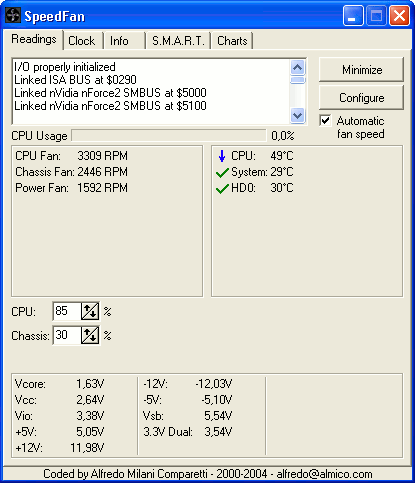
1. Speedfan -- This is a small utility which gives you details of the CPU/GPU/HDD temparatures.  If your CPU temperature is more than 50C, then you are about step into trouble.  It is time to open your CPU and clean inside.  This is a free tool.You can download it from here.


2.  Easeus Partition Manager -  This is a very good partition manager.  This is the first time I have used it.  Worked flawlessly. You can download the lite-free version from here.

Download EASEUS Partition Master Home Edition
Overview:
 3.  Second Copy -- I use this tool often to take the backup of my personal data to my WesternDigital 320GB external HDD (USB).   It syncs the (personal) data from my PC with external HDD. Only the differential will be updated. 

Second Copy® is the perfect automatic backup software designed for all versions of Windows, including 9x/Me/NT4/2000/XP/2003/Vista, you have been looking for. It makes a backup of your data files to another directory, disk or computer across the network. It then monitors the source files and keeps the backup updated with new or changed files. It runs in the background with no user interaction. So, once it is set up you always have a backup of your data somewhere else. For more information on Second Copy®, go to the Products page. Download a copy for evaluation from the Download page. For Pricing and ordering information see the Pricing and Order pages.


 You can download the free trial from here.


Ok, see u all in next post.

Perform OCR with Google Docs – Turn Images Into Editable Documents

Google Docs can now perform OCR on digital images. You can upload an image containing typewritten or printed text (like a fax document or a scanned newspaper clipping) to your Google Docs account and it will turn that image into editable text.
In the following example, Google Docs successfully extracted all the text from a scanned book page and converted it into an editable document.
google docs ocr
The OCR feature in Google Docs is not part of the standard UI yet but you can use this sample form to upload scanned images to your Google Account and the server will automatically try to extract text from these images provided the image resolution is good and that the text inside images is written using Latin character sets.
The OCR feature can also extract text from noisy images as well (like this WSJ clipping) though the recognized text is not very accurate and the document formatting is lost (see conversion results).
If you are a developer, you can add the ocr=true parameter to your upload request and Google Docs will automatically scan that image for text patterns. You can also upload images to Google Docs without the OCR parameter but in that case, the image will be converted into a new Word document sans OCR.
Like Google Docs, Google Search too includes OCR features but the difference is that while Google Docs can extract text from images, the OCR in Google Search works only with scanned PDF files.

(Courtesy: Digital Inspiration)

Saturday, September 26, 2009

Video Converter and Cutter

Atleast once in a while we had always wanted to convert a video from one format to another.  For e.g., XviD to DVD format to watch the DivX video in DvDPlayer.

Though there have been quite a long list of free and pricey options, I would like you to try this free video converter.

Kate's Video Converter

It can convert video file between all popular video formats including AVI, WMV, MOV , DIVX, ASF, 3GP, MP4, MPEG1, MPEG2, VCD-PAL ,VCD-NTSC, SVCD-PAL, SVCD-NTSC, DVD-PAL, DVD-NTSC and other formats.

Download from: http://www.fakewebcam.com/vfcc.asp

The best part is that you can use this a video cutter also.  Just select the starting time and ending time of the video.  The converter will convert the selective part to a new video in the specified format.

There is a separate Video cutter tool also available from the same website, try it if you want.

Screenshots:


Sunday, September 20, 2009

Using Google Calendar

Many of us might have been using different websites doing reminder services, birthday alarms etc.  However, if you have gmail account, you can use Google Calendar.

Even I use google calendar for my reminders.  Be it a credit card pay date, Electricity Bill payment date, friend's birthdays, AMC renewals etc., once added to Google calendar, getting reminders from it is awesome.

Ways google calendar reminds the events:

  • SMS (it works for my airtel number. I have not checked for other operators, but I am sure it works for vodafone, BSNL too)
  • EMAIL 
Recently, google introduced several calendars (like Indian holidays, sports calendars) and you can subscribe them to get notified about the events.
You can go through the guide from google site to know the features and how to use them in detail: link